
5 Construction Site Errors That Are Killing Your Google Maps Visibility
5 Construction Site Errors That Are Killing Your Google Maps Visibility
You’ve spent years mastering your craft. Whether it’s framing a custom home, installing a complex HVAC system, or managing a multi-million dollar commercial build, your reputation is built on the quality of your physical work. However, in the modern landscape of the construction industry, being the best contractor in town doesn’t matter if nobody can find you online. For most construction firms, the “Map Pack” – those three coveted spots at the top of a local search – is the primary driver of high-intent leads. Yet, many firms are inadvertently sabotaging their google business profile seo right from the jobsite.
My name is Brian Horwitz, and for over a decade, I have served as a consultant for home service businesses, contractors, and construction firms. I’ve seen firsthand how high-quality craftsmanship is often overshadowed by poor digital presence. The hard truth is that Google doesn’t care how straight your lines are or how clean your jobsite is unless you provide the digital signals it needs to verify your authority and proximity. If you want to rank google business profile assets effectively, you have to stop treating your digital marketing as an afterthought and start integrating it into your daily operations. You might be doing the work, but if Google doesn’t “see” it, you’re essentially a ghost to your potential customers. Before we dive into the specific errors, you should review The Brutally Honest Local SEO Checklist for Growth-Focused Businesses to ensure your foundation is solid.
Error #1: The “Stock Photo” Sabotage
One of the most common mistakes I see construction companies make is using high-gloss, generic stock photos on their Google Business Profile (GBP). You might think a professional-looking photo of a smiling man in a pristine hard hat makes you look established, but it actually does the opposite. Google’s AI has become incredibly sophisticated. It can now easily detect stock imagery, and more importantly, it can differentiate between a staged photo and a real-world project. When you use stock photos, you are missing out on a massive google business profile optimization opportunity.
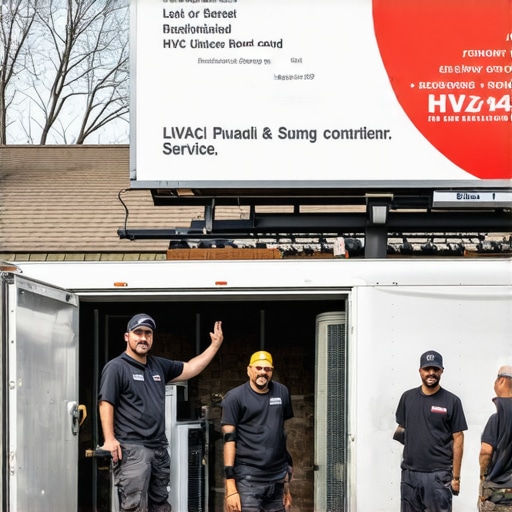
According to the “5 New User Photo Tactics for GMB Domination in 2026” research, Google’s Vision AI prioritizes “In-Action” photos. These are raw, unpolished images of trucks on-site, crews in safety gear, and the “messy middle” of a project. Google wants to see the reality of your work. It looks for safety vests, branded vehicles, and specific tools that correlate with your service categories. If you are a roofer, Google expects to see bundles of shingles, ladders, and safety harnesses. If you aren’t providing this, you’re failing to provide the visual proof Google needs to verify your expertise.
Furthermore, real photos drive “Interaction Depth.” This is a technical concept where Google tracks how long users look at your project photos and whether those photos lead to a click-to-call or a website visit. Stock photos are scrolled past instantly. Real, gritty project photos invite engagement. To see where your current imagery stands, you should use a google business profile audit tool to analyze your profile’s visual health. As I often tell my clients, “In the construction world, your jobsite is your best marketing asset. If you aren’t documenting the ‘messy middle’ of a project, Google assumes you’re a ghost.”
Pro-Tip: The “Truck and Tool” Strategy
- Always include at least one photo of your branded truck in front of the jobsite.
- Capture photos of specialized equipment (e.g., excavators, welding rigs) to prove capability.
- Upload photos weekly to show Google that your business is active and consistently winning new work.
Error #2: NAP Inconsistency & The “Jobsite Trailer” Confusion
In the world of local SEO, NAP stands for Name, Address, and Phone number. Consistency is the bedrock of trust between your business and Google’s algorithm. However, construction companies face a unique challenge: the temporary nature of their work locations. I frequently see contractors making the mistake of using a temporary jobsite trailer address or a secondary phone number on site signage that doesn’t match their official digital profile. This creates massive confusion for Google’s crawlers.
When Google sees different addresses or phone numbers associated with your brand across the web, it loses confidence in your location. This lack of confidence directly results in a lower google maps visibility boost. If you are a Service Area Business (SAB) – meaning you go to your customers rather than having them come to you – you must be extremely careful with your settings. Many contractors mistakenly list their home address as a public location or, conversely, fail to define their service area broadly enough to capture surrounding suburbs.
The “Jobsite Trailer” confusion occurs when a project lasts for months and the contractor starts using that specific address for deliveries and local listings. This splits your “ranking juice” between your main office and a temporary location. You must maintain a singular, authoritative NAP across all platforms. For a deeper dive into why this matters, read Why perfect NAP consistency isn’t enough to outrank your closest neighbor. To manage these complex data points, many firms rely on local seo tools to monitor their citations across the web and ensure that no rogue addresses are popping up to dilute their authority.
Checklist for NAP Integrity:
- Ensure your business name on GBP matches your legal filing exactly (no keyword stuffing).
- Use a local area code for your primary phone number, not a 1-800 number.
- If you move offices, update your GBP immediately and then use a tool to sync that change across all directories.
Error #3: Neglecting Hyperlocal “Check-Ins” and Geo-Signals
Google’s primary goal is to provide the most relevant local result to the user. To do this, it uses a concept known as “proximity mesh.” This is essentially a map of where Google *knows* you operate based on the signals you send. If your office is in the city center, but you spend 90% of your time doing builds in the northern suburbs, you need to prove that to Google. Most contractors fail to do this, leaving them invisible in the very neighborhoods where they are doing the most work.
Every photo taken on a modern smartphone contains GPS metadata, also known as EXIF data. When you upload a photo directly from the jobsite to your Google Business Profile, you are sending a powerful geo-signal to Google. You are telling the algorithm, “I am a contractor, and I am currently working at these exact coordinates.” This is the secret to expanding your reach beyond your immediate office location. This is how you rank higher on google maps in competitive neighboring zip codes.
Referencing the research “Stop Ignoring Proximity Mesh: 4 Map Ranking Fixes for 2026,” we see that businesses that frequently upload geo-tagged photos have a significantly larger “ranking bubble” than those that only upload from their home office. This is hyperlocal SEO at its most effective. You are creating a digital footprint of your actual service area. If you want to push your visibility further, check out The Specific Move That Pushes Service Area Businesses into Neighboring Zip Codes. By documenting your presence in specific neighborhoods, you are building a proximity mesh that competitors with larger budgets but fewer “boots on the ground” signals simply cannot match.
How to Execute Hyperlocal Check-ins:
- Train your project managers to take three photos of every completed milestone.
- Upload these photos to the “Updates” section of your GBP while still on-site.
- Mention the neighborhood name in the caption of the photo (e.g., “New roof installation in [Neighborhood Name]”).
Error #4: The “Silent Contractor” Review Gap
Reviews are the lifeblood of local search, but most contractors approach them the wrong way. The “Silent Contractor” error is the habit of waiting until a project is 100% finished – sometimes months after the initial contact – to ask for a review. By then, the client’s initial excitement has faded, and they are focused on moving into their new space or paying the final invoice. This delay leads to a massive “review gap” where your profile remains stagnant despite you being busy with work.
Furthermore, many contractors fall into the “Review Sentiment Trap.” They focus only on the star rating and ignore the content of the review. Google’s algorithm scans reviews for specific keywords that act as ranking signals. If a client writes, “They did a great job,” it’s helpful for social proof. But if a client writes, “They are the best roofer in Miami and helped us with our emergency leak repair,” that review is a goldmine for google maps ranking service effectiveness. It tells Google exactly what you do and where you do it.
You need a proactive strategy to rank google business profile assets through review velocity and sentiment. This involves asking for reviews at “peak happiness” moments, such as when the foundation is poured or the framing is finished. This is part of “The Strategy We Use to Get More Google Reviews Without Sounding Desperate.” By spreading out your review requests throughout the project lifecycle, you ensure a steady stream of fresh, keyword-rich content that keeps your profile active in Google’s eyes.
Review Optimization Checklist:
- Create a QR code that links directly to your review page and keep it on your truck or clipboards.
- Respond to every review – positive or negative – within 24 hours.
- In your response, naturally include your service keywords (e.g., “We were happy to help with your kitchen remodel in [City]!”).
Error #5: Category & Service Misalignment
The final error is the “General Contractor” trap. Many construction firms select “General Contractor” as their primary category and then stop there. While that might be your legal designation, it is often too broad to capture niche, high-value searches. If a homeowner is looking for “Siding Repair” or “Deck Builder,” a profile optimized only for “General Contractor” may be outranked by a smaller specialist who has correctly utilized sub-categories and the “Services” menu.
To maximize your google business profile optimization, you must use all available category slots. Google allows for one primary category and up to nine secondary categories. If you do remodeling, you should also list “Kitchen Remodeler,” “Bathroom Remodeler,” and “Interior Construction.” This expands the net of search terms you can rank for. Additionally, many contractors ignore the “Services” menu within the GBP dashboard. This is where you can list specific offerings like “Custom Cabinetry,” “Permit Management,” or “Structural Engineering.”
These detailed service listings are frequently pulled into “justifications” in the search results – those little snippets that say “Provides: [Service Name]” under your business listing. This significantly increases your click-through rate. To see how the pros handle this, look at 5 Specific Moves Contractors Use to Dominate Local Search Results. Misalignment here means you are handing leads to your competitors on a silver platter because Google doesn’t realize you offer the specific service the user is looking for.
Category Best Practices:
- Choose the most specific category as your Primary (e.g., “Roofing Contractor” instead of just “Contractor”).
- Audit your categories quarterly to ensure they align with your current most profitable jobs.
- Fill out the description for every service in your menu to provide more context for Google’s AI.
Conclusion & Action Plan
In the construction industry, your digital visibility is just as important as your physical craftsmanship. Avoiding these five errors – stock photos, NAP inconsistency, neglecting geo-signals, the review gap, and category misalignment – will put you miles ahead of your local competition. Remember, while big-budget national brands use high-end SEO tactics, you can win the local game by using “Micro-Citations” and “Hyper-Local Sentiment” that they simply cannot fake. Your jobsite is your best marketing tool; start using it to feed the Google algorithm.
If you’re ready to stop losing leads to less-qualified competitors, it’s time to perform a comprehensive audit of your profile. Use a professional google maps ranking service to identify exactly where your leaks are and plug them before the next busy season. The “Map Pack” is waiting for you – go claim your spot.