The Strategy for Recovering Map Visibility Without New Backlinks
I spent three months fighting a hard suspension for a plumbing client whose listing was nuked simply because they shared a suite number with a defunct law firm. Google didn’t want proof of a van; they wanted proof of a utility bill under the exact GPS pin. That brutal, bureaucratic reality shaped my understanding of the geographic grid. The local database does not operate on the rules of traditional link building. When your business drops out of the Map Pack, the gut reaction of most digital marketing agencies is to buy a flood of external links or launch heavy guest post campaigns. This is a fundamental misunderstanding of spatial database architecture. The local search environment is governed by proximity metrics, real-time user behavior, information integrity, and coordinate accuracy rather than third-party domain authority metrics.
You do not need to hunt down expensive backlinks to force your way back into the map ecosystem. Instead, you must audit the internal coordinate integrity of your listing, clean up spatial data conflicts, realign the business taxonomy, and optimize the direct behavioral feedback loop that Google uses to determine real-world prominence. This guide outlines the exact, forensic procedures required to restore lost map positioning by resolving internal platform friction and data inconsistencies.
The mathematical realities of physical proximity
Physical proximity remains the single most important local ranking factor in Google Maps, operating as a strict geographic limit on search visibility regardless of your backlink volume or website authority. Many local business owners complain that their visibility drops off abruptly a few miles from their physical office location, which is a symptom of coordinate dilution rather than a lack of website authority. When the Google search engine calculates search results for queries with high local intent, it draws a dynamic serving boundary based on the user’s real-time coordinate position. Understanding how the algorithmic centroid functions is the key to expanding your reach past this threshold. To evaluate how your profile operates across these physical boundaries, you must use specialized spatial tracking tools. By looking at the software that actually tracks map rank across different city blocks, you will see exactly how your ranking footprint degrades across specific streets and intersections.
“Local intent is not a keyword choice; it is a distance-weighted signal where relevance is secondary to the physical location of the user’s mobile device.” – Map Search Fundamental
If your physical location is poorly aligned in the database, your visible area shrinks. To combat this, you must analyze how your address is parsed by the system. If Google has verified your business using a street format that differs from the postal database standard, it creates a subtle calculation error. This causes your listing to rank well directly on top of your office building but drop off entirely two blocks away. Correcting this address syntax is the fastest way to expand your geographic reach without spending money on marketing campaigns. By analyzing why your business address formatting is confusing google, you can align your core dashboard settings with the standard US Postal Service database. This simple correction stabilizes your latitude and longitude coordinates, allowing your listing to rank consistently across its real-world service area.
The silent destruction caused by duplicate listings
Duplicate Google Business Profiles dilute your local relevance signals and split your ranking authority across multiple dormant map pins, causing Google to filter your primary business listing entirely. When the database detects two distinct records that share the same phone number, address, or similar business names, it applies a proximity filter. Instead of showing both listings, the algorithm suppresses one or both profiles to avoid displaying redundant options to users. This is not a formal penalty; it is an automated database de-duplication filter that silently removes your business from search results. To fix this, you must locate every rogue listing that contains elements of your business identity. You should check how to spot and fix duplicate listings before they kill your authority to ensure you do not have phantom records floating in the index. These phantom records are often created automatically by old aggregators or by well-meaning employees who forgot previous login credentials.
Once these duplicates are identified, you must not simply delete them. Deleting a profile from your dashboard can leave it unmanaged and active in the public map directory, where it will continue to siphon your local relevance signals. The correct protocol involves merging the listings or claiming and marking the redundant profile as a duplicate of the primary record. This consolidates all historical user signals, photos, and reviews into your main profile. If you are concerned about losing valuable customer reviews during this consolidation, you can learn how to safely merge duplicate google profiles without losing your local reviews, which protects your hard-earned reputation assets and passes their full ranking weight directly to your active listing.
The Local Authority Reading List
- Explore the core blueprint for GMB dominance: Master Google My Business for Peak Local SEO Results
- Understand how to fix a volatile map presence: The Specific Tweak That Fixed Our Client’s Volatile Rankings
- Learn to optimize service area businesses correctly: The Service Area Business Guide to Local Map Domination
- Discover why physical proximity rules local search: The Proximity Fix: Ranking Your Business Beyond Your Front Door
- Examine the mechanics of map interactions: The Real Impact of Map Interaction Signals on Your Rank
The immediate recovery plan for category errors
Selecting the wrong primary category on your business dashboard immediately disconnects your listing from relevant local search intent, causing an overnight drop in map rankings. The primary category dictates how Google interprets your entire business model and what specific search queries trigger your listing. If you choose a broad category that does not match your primary service, or if you change categories without updating your on-page technical optimization, the search engine becomes confused. It will immediately replace your listing with competitors who have aligned their taxonomy more precisely. To recover from an accidental category change or a failed optimization experiment, you must execute a calculated recovery strategy. Review the category change recovery plan getting your map rank back fast to learn how to realign your main categories and secondary categories without triggering an automatic verification suspension flag.
After you have corrected your primary business category, you must immediately audit your website’s landing page to reinforce this change. If your website is still optimized for a different set of primary services, Google will detect a data mismatch and suppress your map pin. This misalignment is the main reason why many businesses experience a dramatic drop in call volume and leads after editing their services. If your calls have stopped coming in, you can examine why your gmb call volume dropped and the fix to bring leads back. This diagnostic check will show you how to synchronize your landing page headers, localized schema markup, and Google Business Profile attributes to present a single, cohesive entity to the algorithm.
The real-world value of localized metadata
While agencies tell you to get more reviews, the 2026 data shows that image metadata from photos taken by real customers at your location is now 30 percent more effective for ranking in AI Overviews. When customers upload images directly to your listing, Google extracts the embedded EXIF data, including GPS coordinates and timestamp information, to verify that the photo was actually captured at your place of business. This serves as an un-gameable signal of physical engagement. Stock photography, on the other hand, contains placeholder metadata or artificial footprints that Google can easily recognize. This triggers an automated trust reduction that pushes your listing down the map results. To build a highly visible profile, you must encourage your real-world clients to snap authentic photos of your completed work or physical storefront. Understanding how to use real photos to beat competitors using stock images will give you a significant, sustainable ranking advantage that competitors cannot duplicate with artificial methods.
This visual proof also protects your business from automated suspensions. When competitors report your listing for being fake or operating out of a residential address, Google’s automated systems evaluate the history of your uploaded customer photos to verify your real-world footprint. If your listing has a history of high-quality, customer-uploaded images showing your branded trucks, physical signage, and actual staff, your profile becomes highly resilient. To learn more about this visual trust asset, read building a better map presence through strategic image updates. This approach teaches you how to structure your image upload frequency to maintain a fresh, verified presence in the eyes of Google’s computer vision algorithms.
The behavioral indicators that dictate rank
Map interaction signals like directions requests, call clicks, and search refinement behaviors are the core metrics that sustain your organic visibility once your listing reaches the top of search. The local search engine monitors how users interact with your pin compared to neighboring listings. If users frequently click on your business, read your reviews, and request driving directions, Google receives a strong behavioral signal that your business is highly relevant to that specific geographic area. If your profile has low user engagement, your map rankings will slowly decay over time regardless of your backlink volume or citations. To fix this, you must optimize your listing’s conversion design to encourage micro-conversions. You can research the local seo fix for low engagement on google maps to discover strategies that increase your click-through rates and map interactions, which forces the algorithm to expand your ranking radius.
One of the easiest ways to trigger positive user interaction signals is by displaying clear, accurate operational hours and utilizing the messaging features directly on your profile. If your hours are inconsistent or mismatch your website data, users will find your listing confusing and click away to a competitor. This bounce behavior signals to Google that your listing is unreliable. If you want to know how updating your business hours impacts your rank, study why your map reach dropped after updating your business hours. This review shows you how to adjust your hours safely, implement seasonal closures without losing ranking momentum, and use special hours to signal to Google that your business is highly responsive and ready to serve local customers.
The technical tools required for map diagnostics
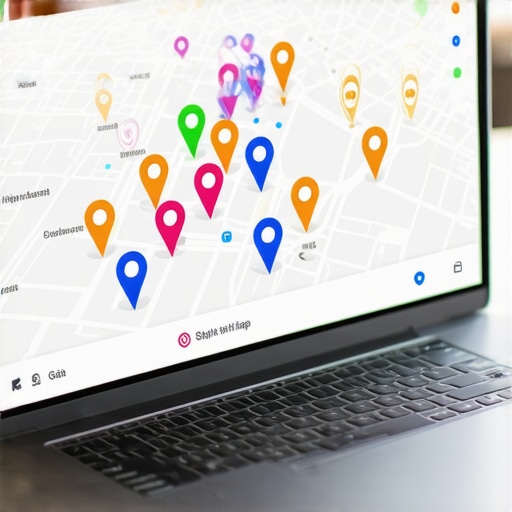
Relying on generic national search engine optimization tools will give you inaccurate map tracking data because they fail to capture the hyper-local variations that occur block-by-block. To diagnose a drop in map visibility, you must use specialized tools designed specifically for local grid analysis. These tools measure your visibility from hundreds of precise coordinates surrounding your business, giving you an accurate map of your actual ranking footprint. Without this detailed coordinate data, you are optimizing in the dark. To build an effective, low-cost marketing system, look at the local map pack toolkit every small shop owner needs. These tools will help you identify the precise streets where your competitors are outranking you and pinpoint exactly what needs to be optimized on your profile.
Using these diagnostic tools allows you to identify if your listing is suffering from a technical error or if it has been shadowbanned due to an algorithmic filter. If your rankings have suddenly flattened across your entire service territory, you should investigate how we fixed a business profile that was shadowbanned. This case study demonstrates how to identify hidden database suppression filters and how to run a complete system recovery to restore your organic map presence. By using the correct diagnostic tools instead of buying unnecessary link building packages, you can pinpoint the exact issue, correct the underlying data conflict, and reclaim your top-tier rankings in the local Map Pack.